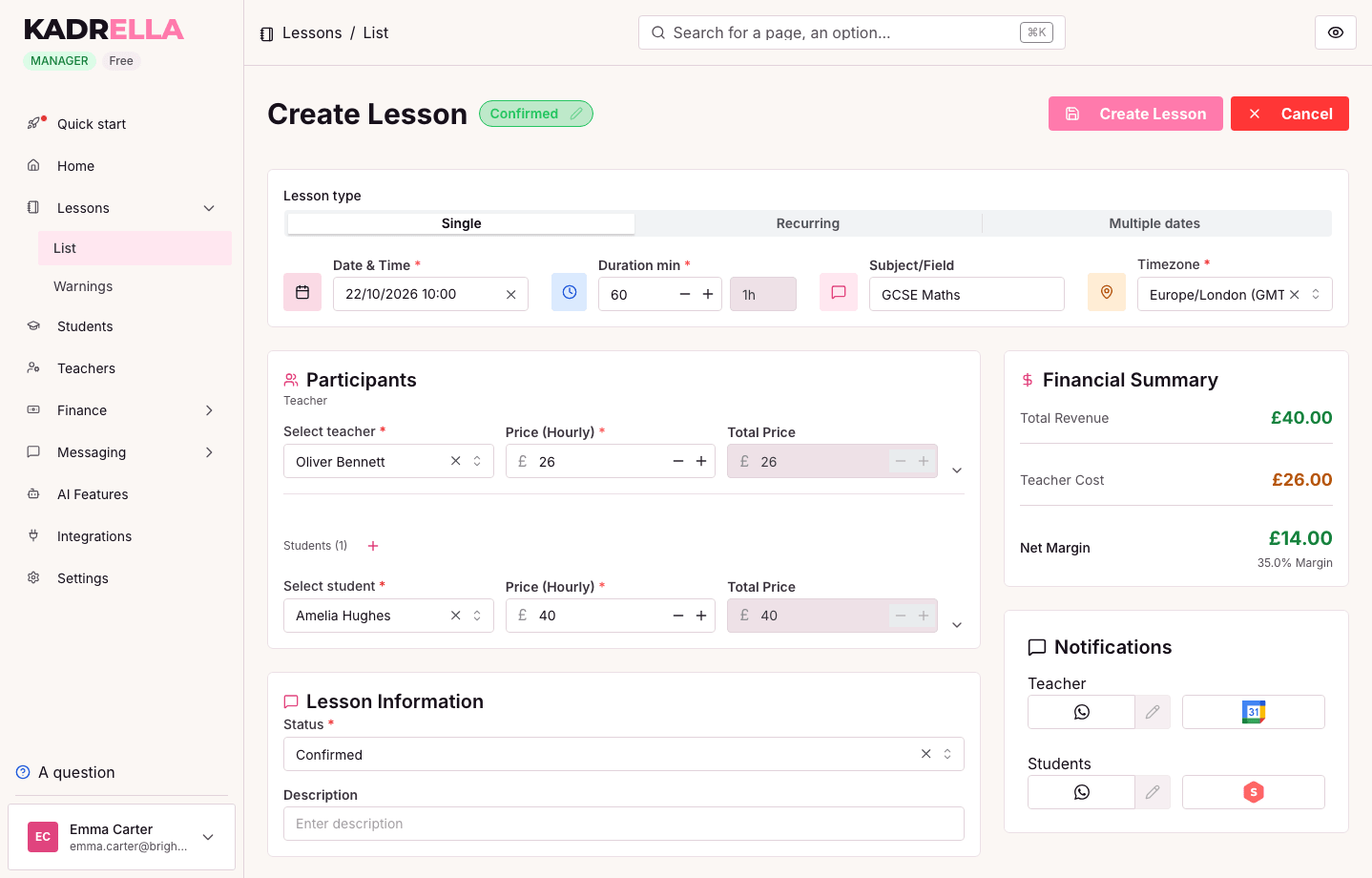
Recurring lessons
Set it once, the lesson repeats weekly or on your own rhythm.
Scheduling
One-off or recurring lessons, synced with Google Calendar and shared with your teachers.

Trusted by tutoring businesses
Scheduling is at the core of private lessons. Kadrella provides a schedule that syncs to Google Calendar. Create recurring lessons (weekly, every other week), handle cancellations and reschedules. Each lesson carries its student, subject, location, duration and rate, and feeds invoicing directly.
Set it once, the lesson repeats weekly or on your own rhythm.
Every lesson created in Kadrella shows up in Google Calendar and stays up to date there.
Move or cancel a lesson; invoicing follows.
Notify students and parents before each lesson over WhatsApp.
Each teacher sees their schedule; the manager sees everything.
A diary, a spreadsheet and Google Calendar to copy into each other
A lesson created once, sent to Google Calendar
A Word template filled in by hand every month
PDF invoices generated from the lessons taught
The bank statement checked line by line
Each transfer matched to the student who sent it
WhatsApp messages typed one by one to families who owe you
A WhatsApp reminder listing the lessons due, in one tap
Superprof requests waiting for your reply
An instant reply offering a time slot
Start on the free plan, or try any paid plan free for 14 days.
0% commission on your lessons: a flat price, with no extra fee per teacher you add.
0 €/mo
The basics to run your tutoring, free forever.
29 €/mo
For a solo tutor: scheduling, messaging and Superprof in one place.
49 €/mo
Nothing left to invoice, reconcile or follow up on by hand.
The founder's story
I've taught maths and computer science since 2020, and I run my own private-tutoring business, Head of Science: several teachers, around a hundred students. I'm also a software engineer. In 2024, I started building this tool for myself, because tracking payments and chasing late ones took every Sunday. I've used it every day since. Kadrella is that same tool, opened up to other teachers.

CS engineer, Sorbonne UTCPortfolio
No, it goes one way: from Kadrella to Google Calendar. Lessons created in Kadrella show up there, and their changes and cancellations carry across.
Yes. Schedule a lesson weekly, every other week or on your own rhythm, with exception handling.
Yes. Each teacher sees their own schedule and the manager keeps a full overview.