Track and chase late payments
The "Late Payments" page groups, student by student, the lessons already given that are not paid yet. It is worked out from your lessons and payments: nothing to keep up to date. For each student, Kadrella prepares a summary of the lessons owed to send to the family.
2 stepsFree planScreenshots from 4 November 2026
Step 1
Open the late payments
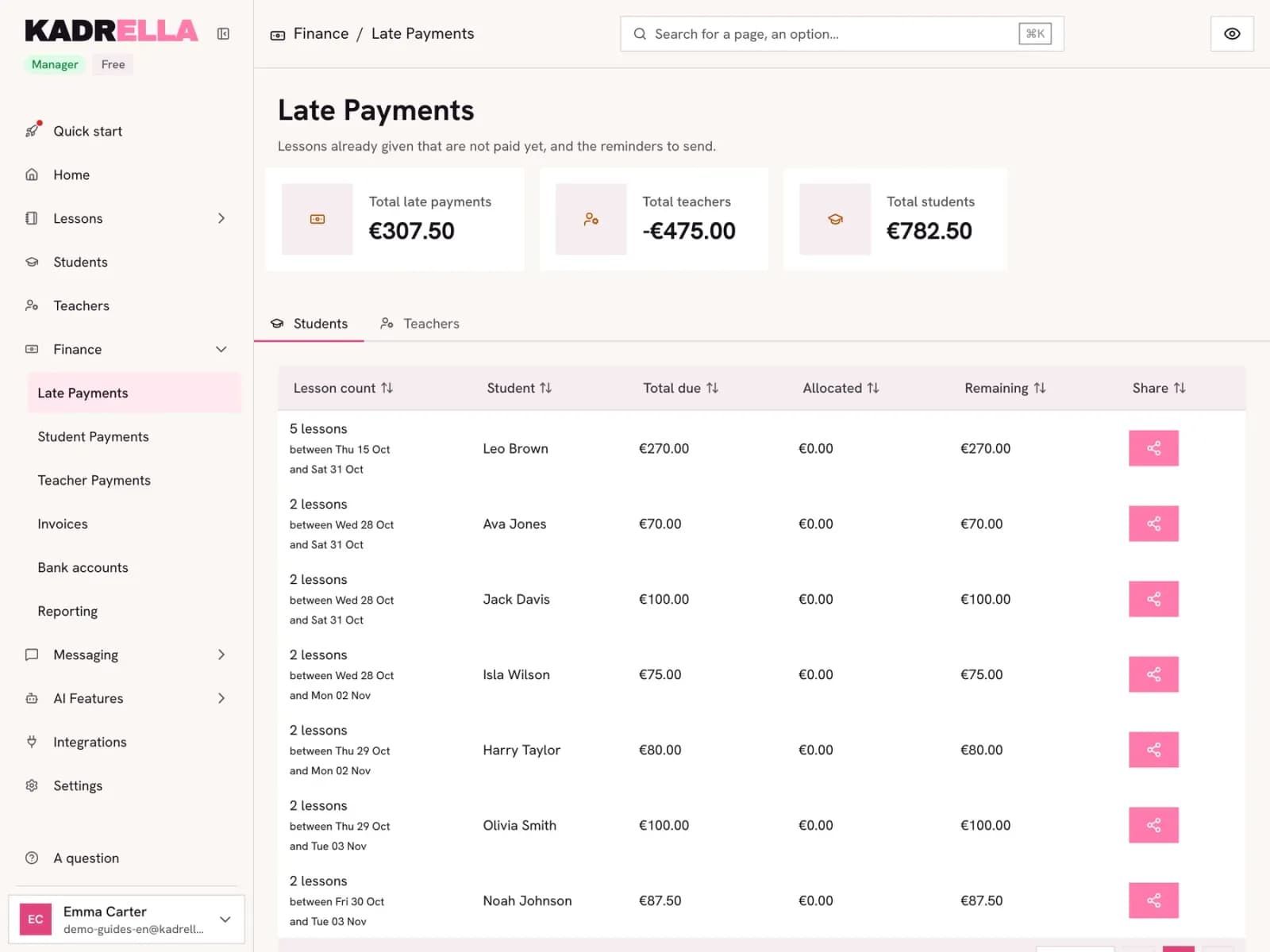
In "Finance", open "Late Payments". The totals at the top show what students owe you and what you owe tutors. Each row gives the number of lessons, the period, the total due and what remains. The "Teachers" tab does the same for your tutors.
 View the full-size screenshot
- The total your students owe you.
- One student: 5 unpaid lessons between two dates.
- The share button prepares the reminder.
Step 2
Send the summary
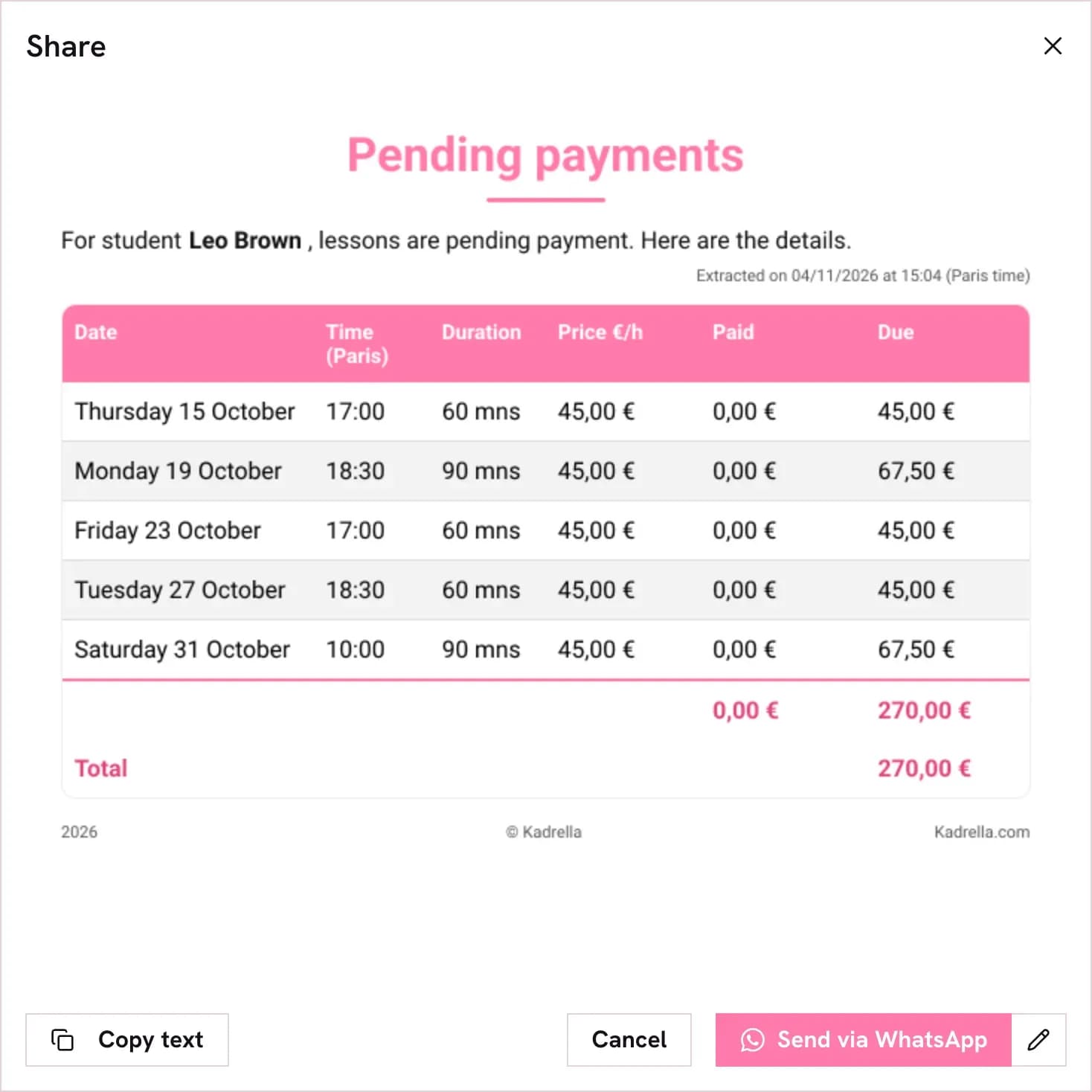
The summary lists each lesson with its date, length, price and amount due. "Copy text" copies it to send by text message or email. "Send via WhatsApp" sends it straight from your number, once WhatsApp is connected.
 View the full-size screenshot
- "Copy text" for a text message or an email.
- "Send via WhatsApp" if WhatsApp is connected.
Good to know
- A lesson only counts as late once it has taken place, and leaves the list as soon as a payment covers it.
Going further
- Feature
- Payment tracking
- Related reading
Screenshots taken on a demo account: names, phone numbers and amounts are made up.
Spend your Sundays teaching, not chasing payments.
Free to start, set up in minutes. No card.