Connect your bank account
The bank connection imports your account’s transactions into Kadrella, so each transfer received can be linked to a student payment. It goes through GoCardless, a secure bank connection service: you sign in on your bank’s own site and your login is never passed to Kadrella. This integration is part of the Pro plan.
4 stepsPro planScreenshots from 4 November 2026
Step 1
Open the bank accounts
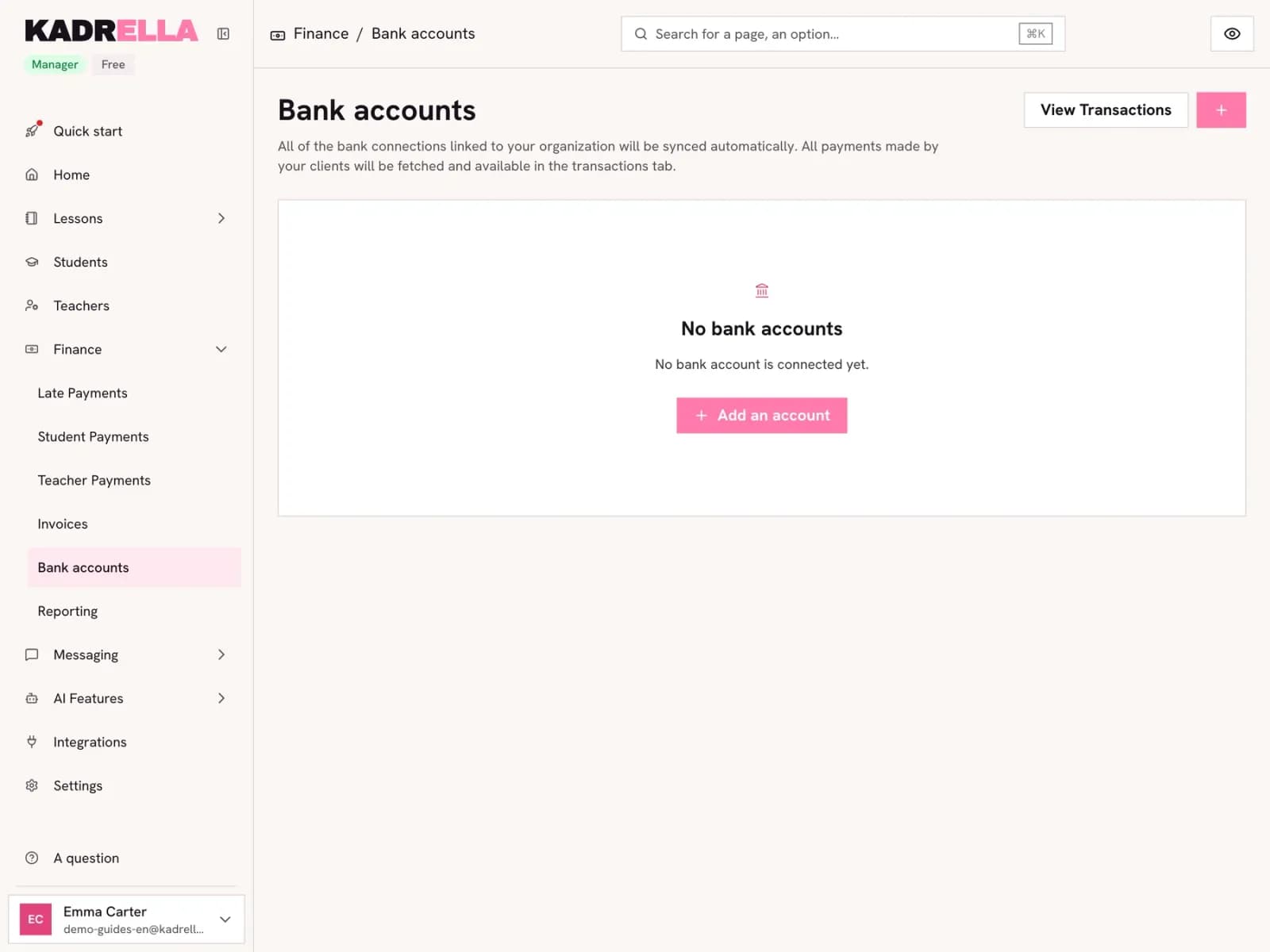
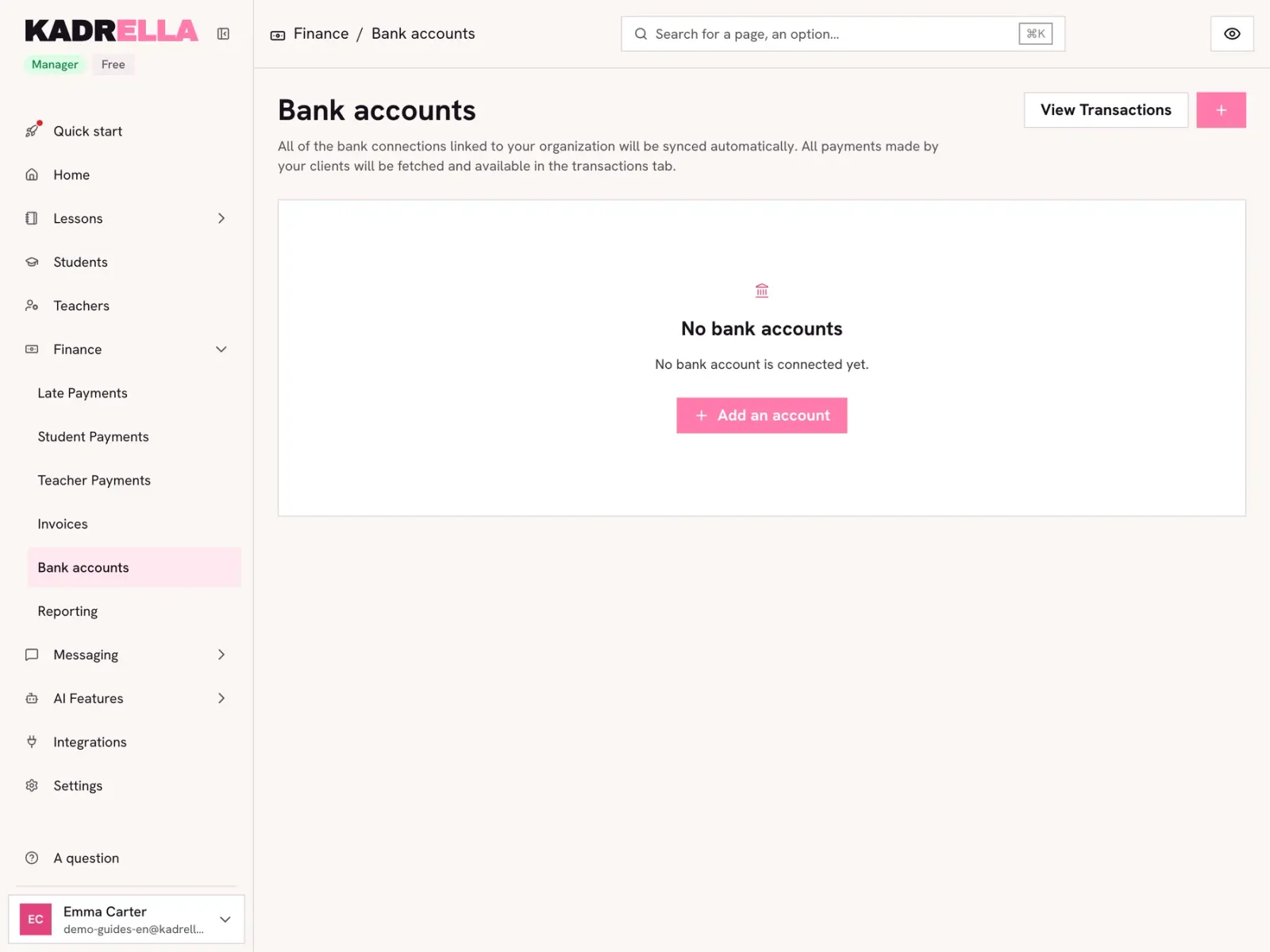
In "Finance", open "Bank accounts" and click "Add an account".
 View the full-size screenshot
- "Add an account".
Step 2
Choose your bank and authorise access
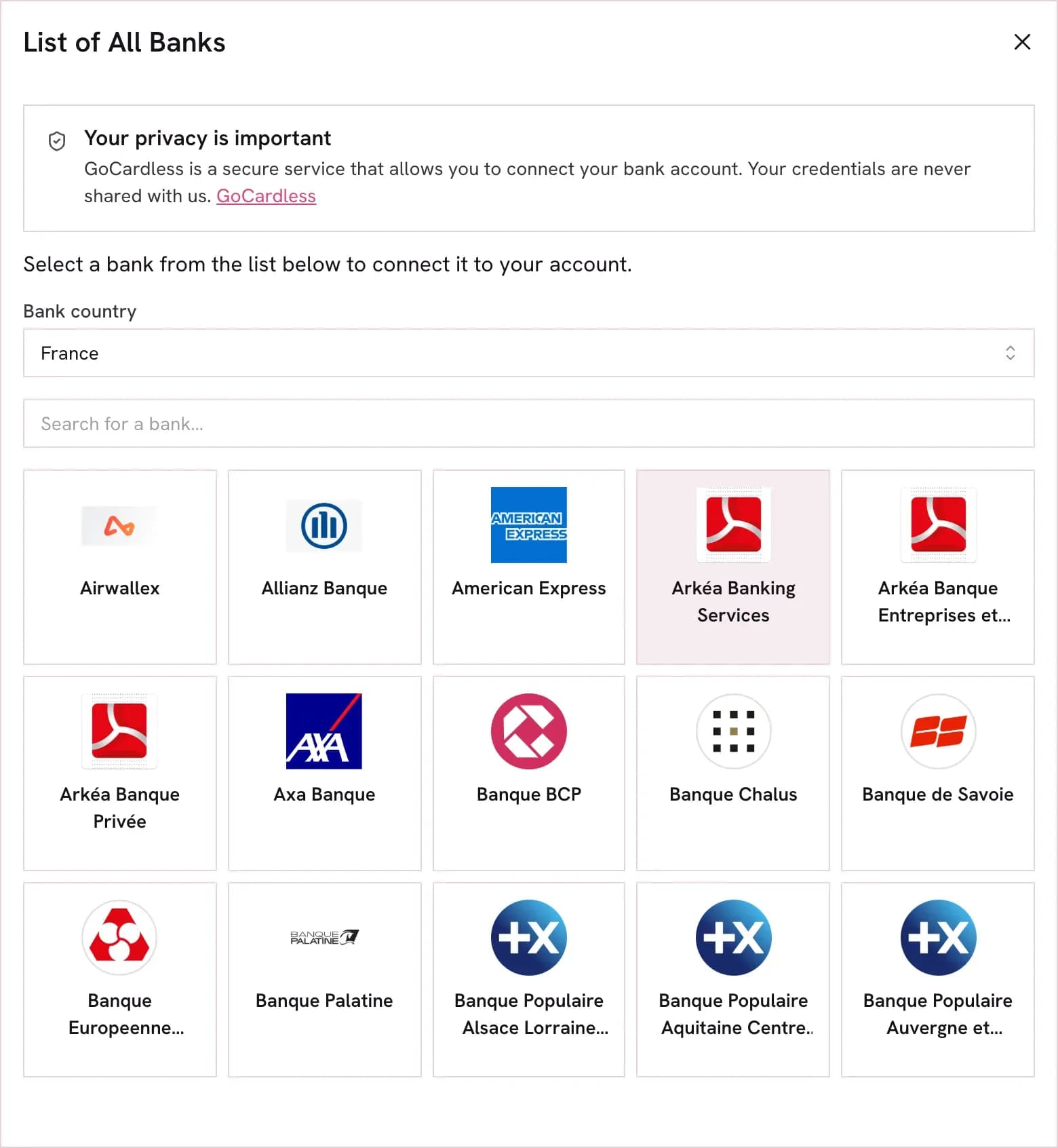
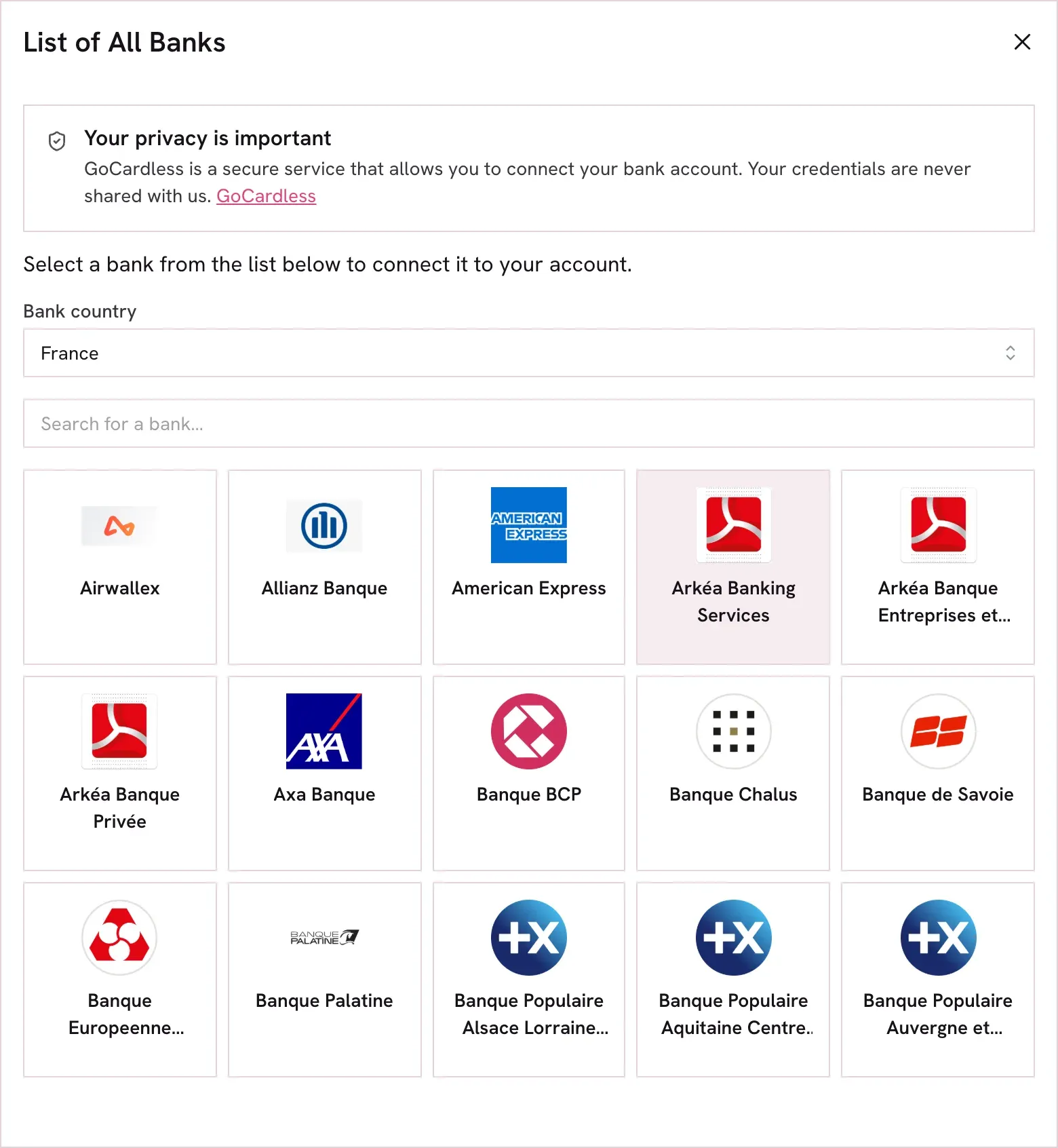
Choose the country, search for your bank and click it. You are sent to your bank’s site: sign in as usual and accept sharing your transactions. The bank then sends you back to Kadrella, which confirms the connection.
 View the full-size screenshot
- The bank’s country.
- Search by bank name.
Step 3
Your account is connected
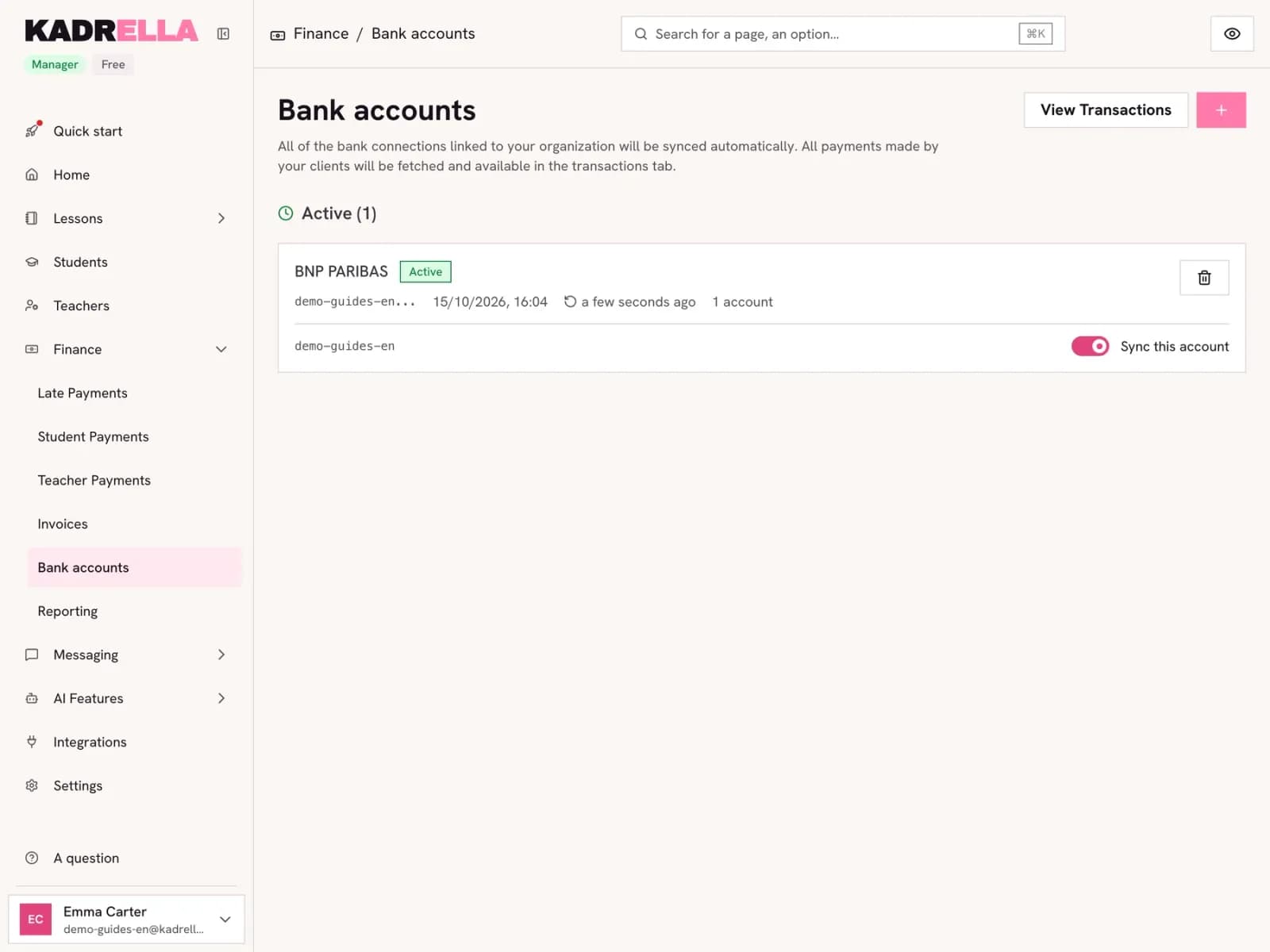
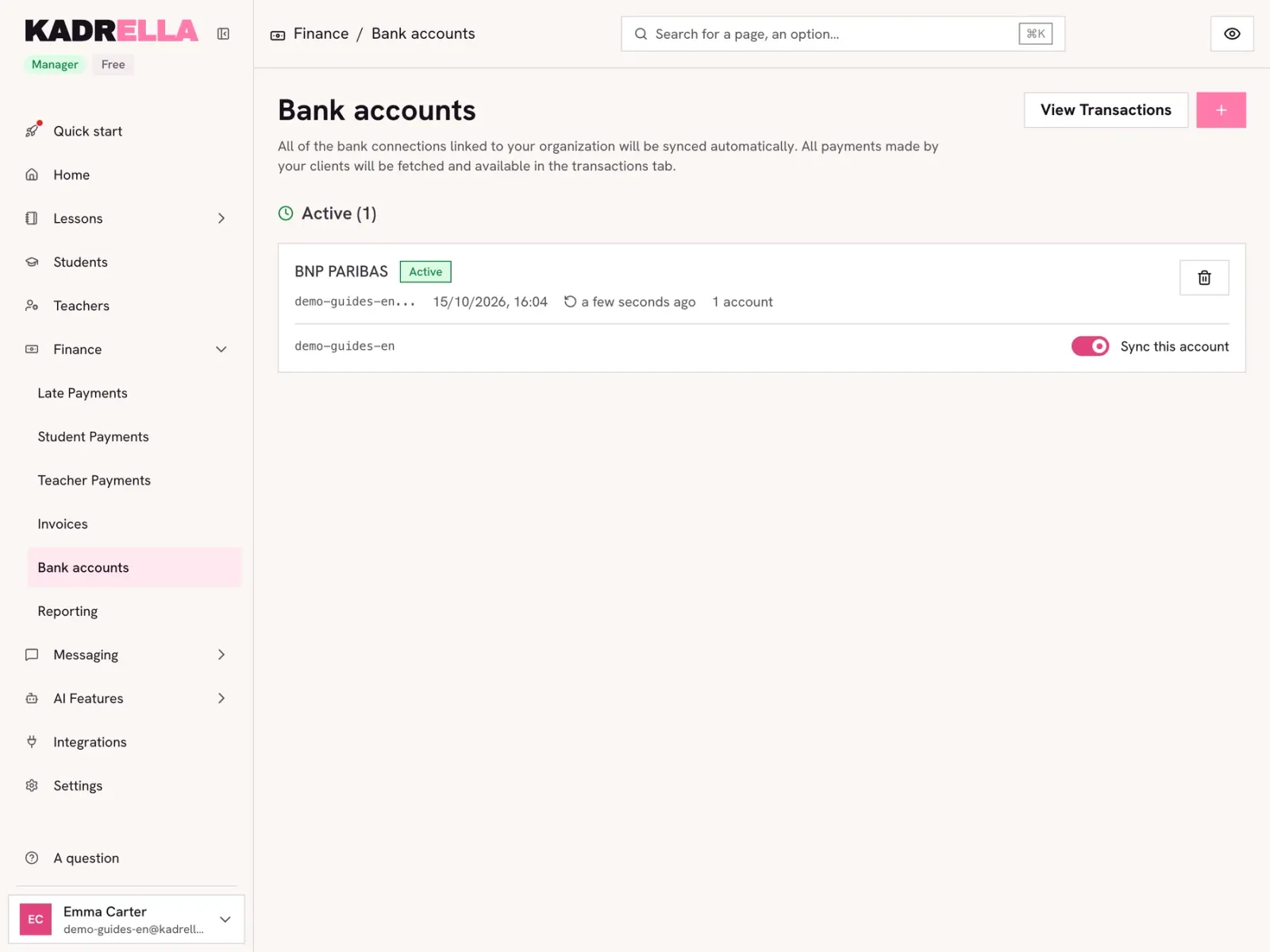
The account shows with the "Active" status, the connection date and the last sync. The sync switch pauses importing an account without disconnecting it.
 View the full-size screenshot
- The connected account and its sync.
- "View Transactions" opens the imported movements.
Step 4
The imported transactions
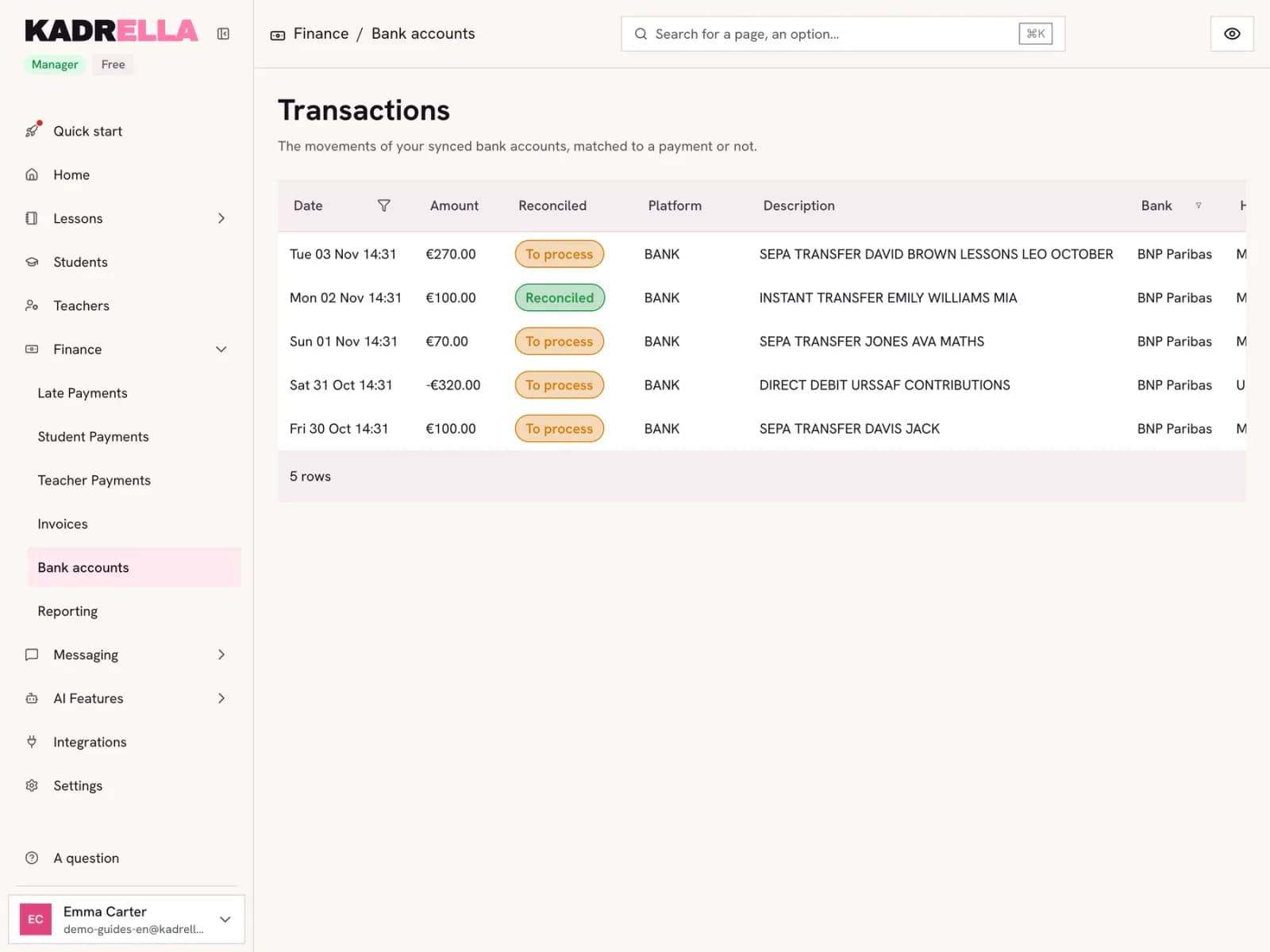
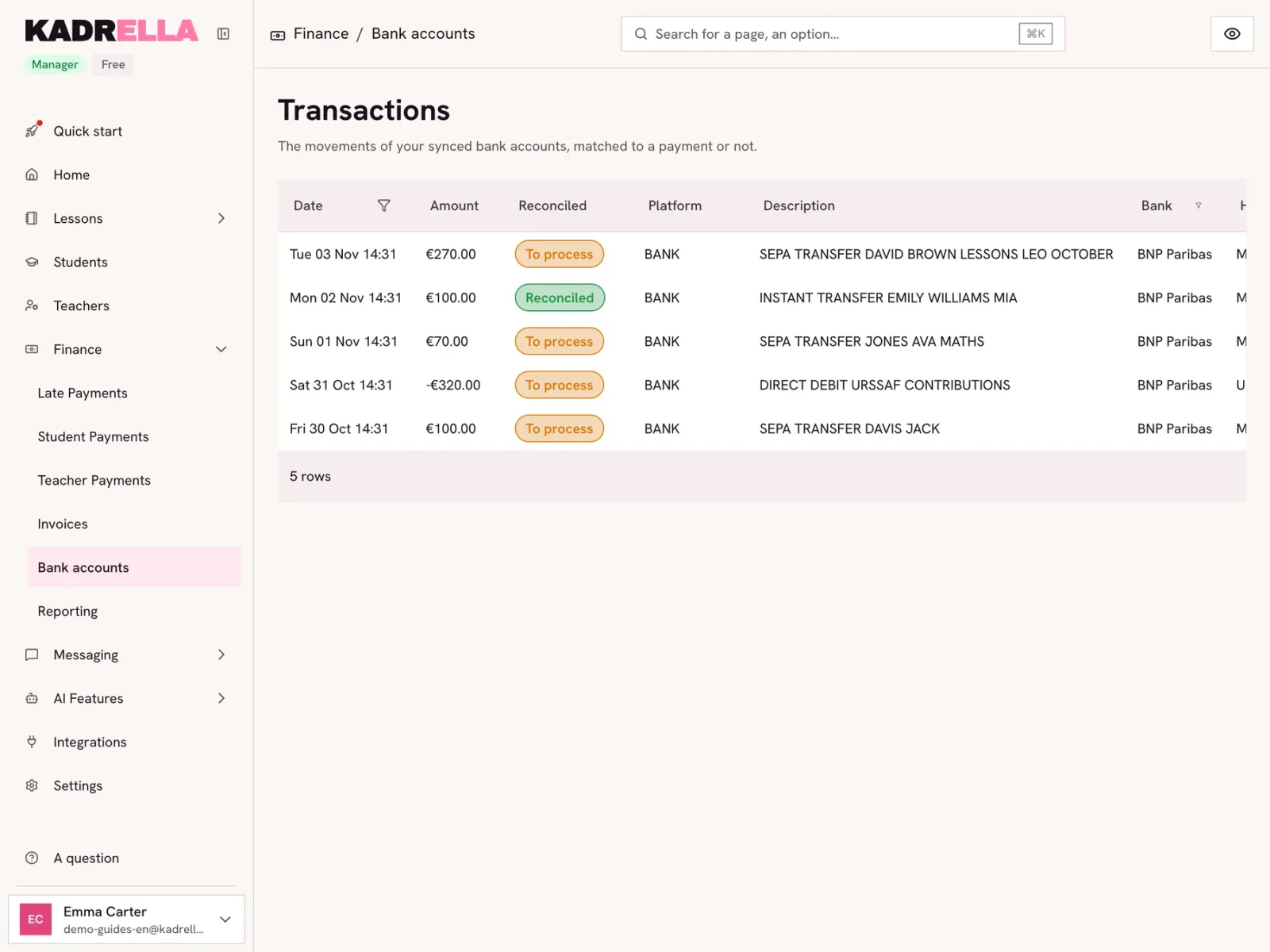
Each movement shows with its date, amount, bank label and the holder of the account that paid. The "Reconciled" column tells whether it is already linked to a payment. To link a transfer to a student, follow the "Record a payment for a lesson" guide.
 View the full-size screenshot
- A transfer received from a family.
- Reconciled with a payment or not.
Good to know
- Once a transfer is linked to a student, the family’s IBAN is saved on their record, and their next transfers create a payment by themselves.
Good to know
- Transactions are imported automatically, twice a day: no need to start a sync by hand.
Going further
- Feature
- Bank reconciliation
- Related reading
Screenshots taken on a demo account: names, phone numbers and amounts are made up.
Spend your Sundays teaching, not chasing payments.
Free to start, set up in minutes. No card.